World
1. reset current world to template [desert]

The current world is set by "set world as [?]" block. You can use this block to reset it to the existing template world.
This block will replace the current world with template (desert, hill, island or plain). It means that the cubes or buildings you created in the current world will be cleaned up.
World: It is made up of 64x64x64 cube units. Trainee can build and operate in this space and create his/her own world.
2. set skybox as [blue sky]

- This block is used to set the sky pattern. You can choose from the template: blue sky, calm day, sunny day, night, space, and sunset.
3. set world as [arena]

This block can set the world pattern. There are 5 preset worlds: arena, spaceport, island, plain, and castle. Also, players can create their own world.
Compared with "reset current world to template [desert]" block, this block can change the world without deleting the created building. If you need to change it to the previous world, you can use this block to change it back.
How to create world?
4. [enable] clouds

- Use this block to show or hide clouds in the game.
5. set time to [10] o'clock

Set the time with number. 0-24 is equal to the 24 hours in real world.
Although this block is used to set the time, actually it is used to set the brightness of light. 0 means 0'c clock, and it is the darkest hour; 12 means the noon, and it is the brightest hour.
6. set fog level [200]

- Set the density of fog and enable the fog effect. The greater the value, the lower the visibility.
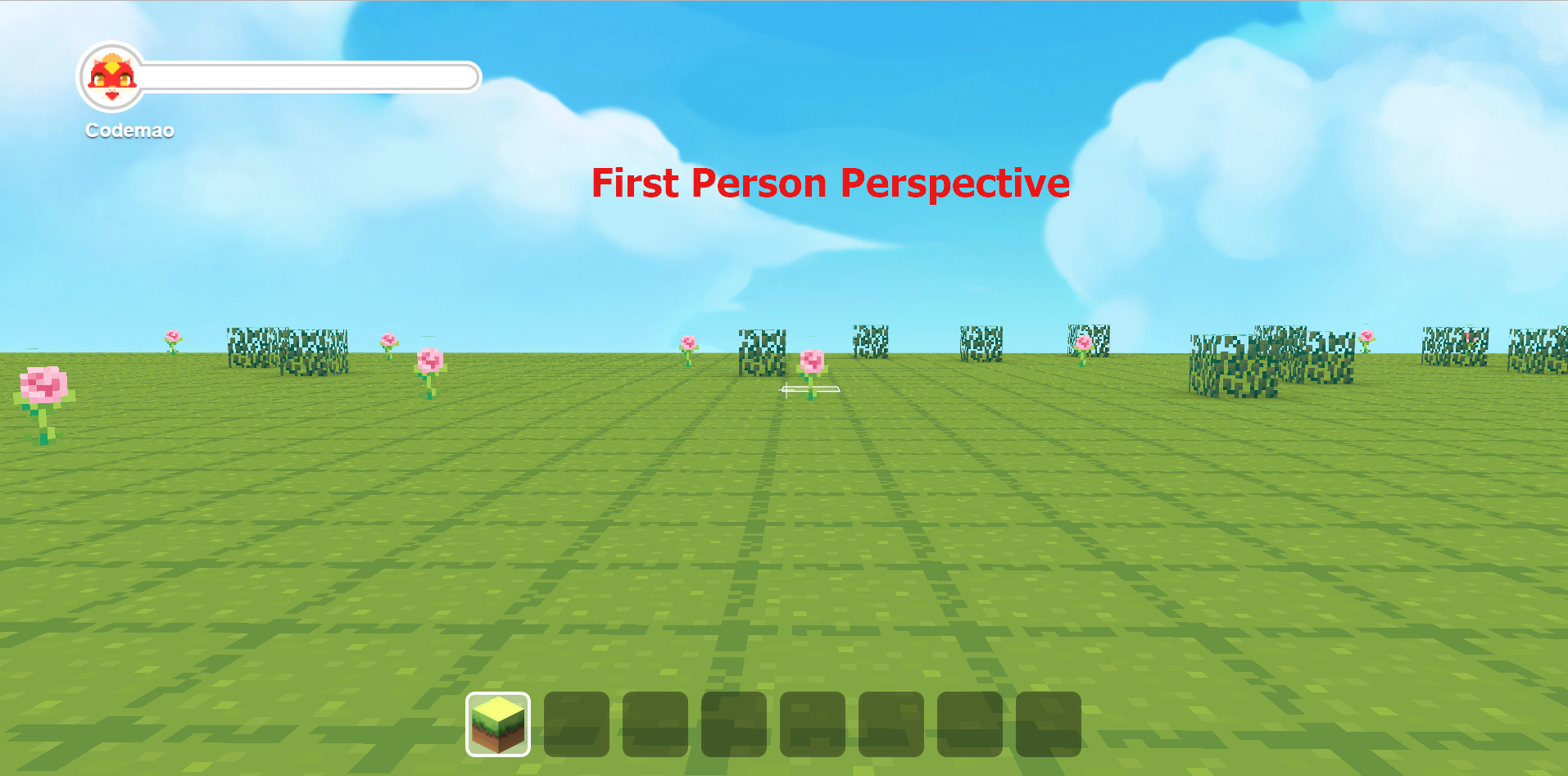
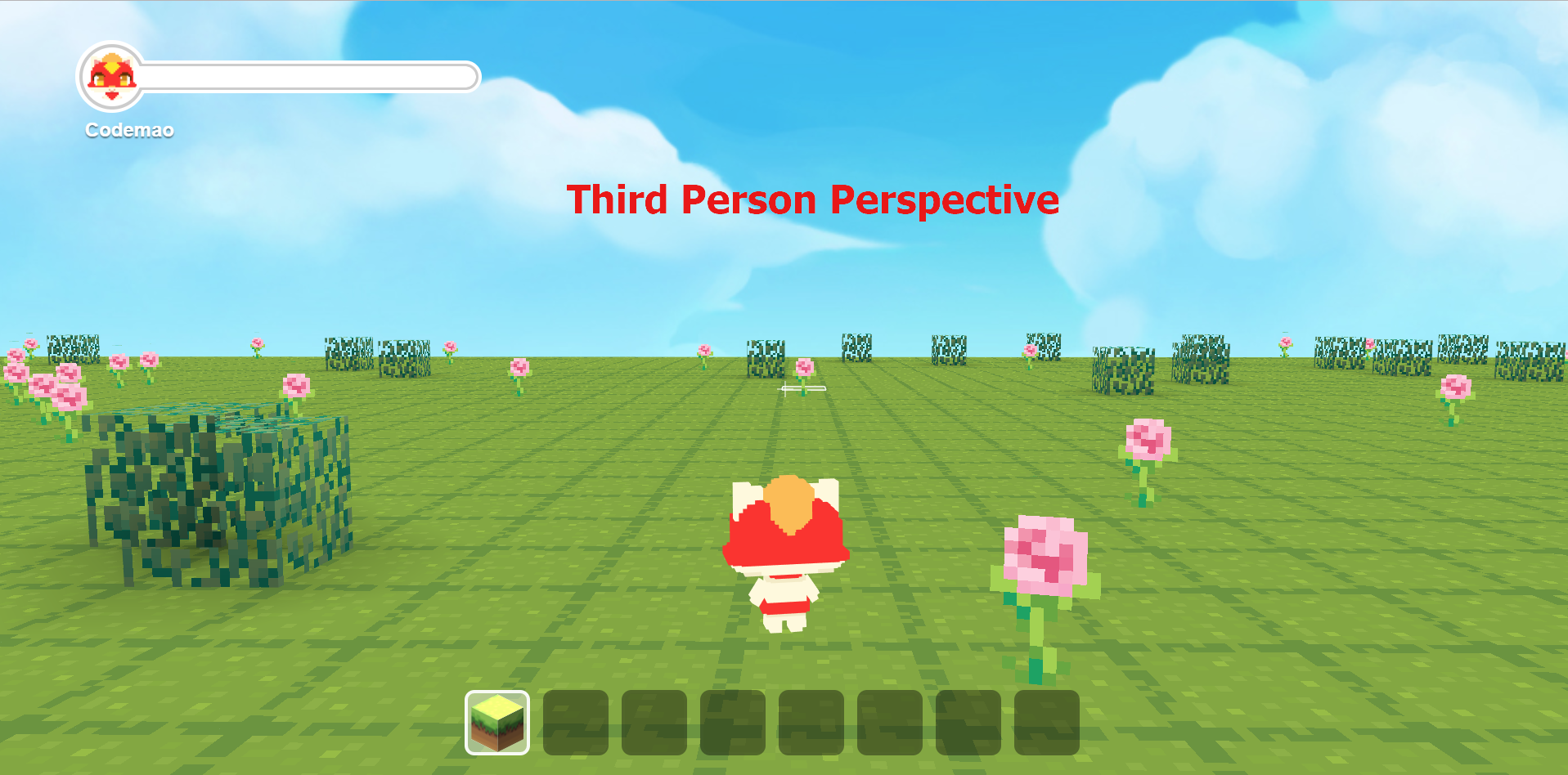
7. set to [first] person perspective

Set the player's perspective to [first person/third person] perspective. "first person perspective" is to see from sprite's (Codemao/Dan) perspective; "third person perspective" is to see from behind the sprite.
If you choose the first person perspective, you cannot see the sprite (Codemao/Dan); if you choose the third person perspective, you can see the sprite.
8. set camera azimuth to [90] degrees

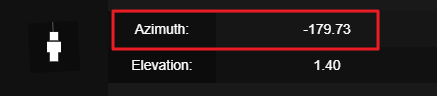
The camera azimuth is the direction that player faces on the XOZ plane. Please note that the camera azimuth and camera elevation are different: looking up or down is camera elevation (not camera azimuth); looking left or right is camera azimuth. Through this block, we can set the the direction of player's perspective around Y-axis, and that is, the player's facing direction.
Press F3 key (Ctrl+F3, Ctrl+Fn+F3 or Tab for some computers) to check current camera azimuth on top right.
9. rotate camera around [X-axis] by [90] degrees

- Rotate camera around [X/Y/Z-axis] by certain degrees. Rotating around Y-axis is similar to looking around; rotating around X-axis is to change from looking upwards to downwards; rotating around Z-axis is to rotate the sight by 90 degrees.
10. reset camera

- Reset both camera azimuth and elevation to 0 degree.
11. take screenshot

- Take screenshot in game and save to local.
12. set snowfall [2000] with speed [10] at rate [500]

- This block can make the world snow. Snowfall amount & rate: how much snow will fall; speed: how fast it will fall.