Procedures
1. define function [function_name]

Function is a type of block where scripts are stored. It turns long stacks of blocks into shorter ones.
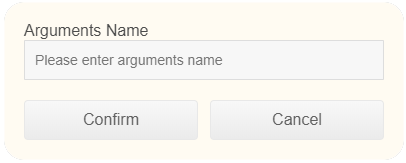
Click the "+" on the block, then, a popout will show for you to add parameters.

2. [function_name]

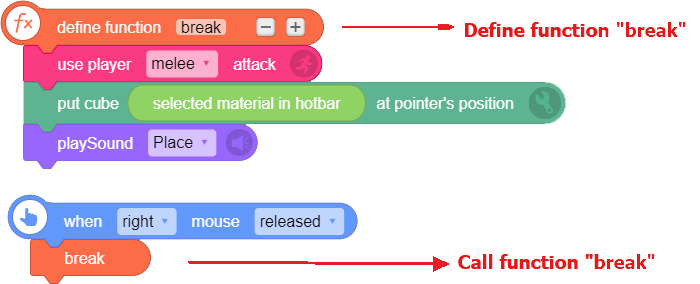
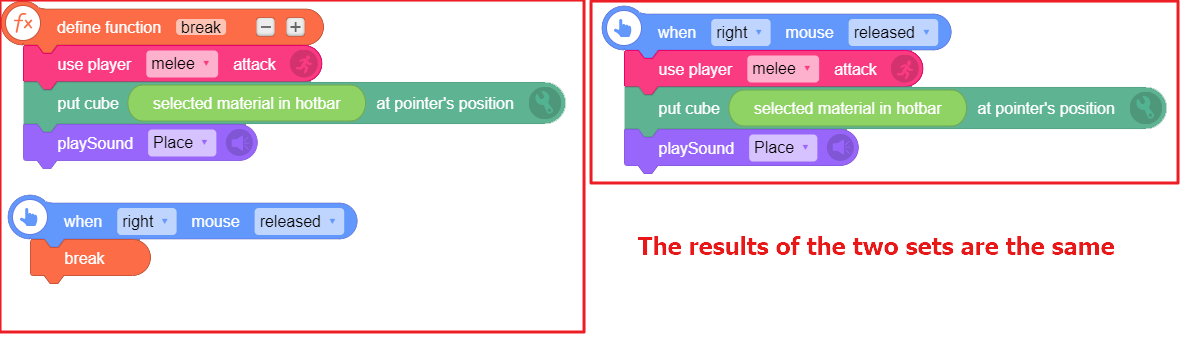
After using "to [function_name]" block, a new block named [function_name] will be created in the Procedures for you to invoke the defined function.
Please note: this block will show only after the function is defined. You can rename the block in "to [function_name]" block, but do not delete the script defining the function!
For example:
3. [function_name] with: [ ] [ ]

- Like "[function 1]" block, this block will show if you have added arguments in the "define [function_name]" block. This block is used to invoke defined functions with parameters and enter parameters.
4. parameter [?]

This block can be used to add and use parameter, which is convenient for you to control the variable of function.
Please note: the parameter refers to the parameter in the invoked function, not the global parameter. This block only works when the parameter is added in the function.
For example:
Run the script below: when key i released, invoke function "build", get parameter [length] [6], parameter [width] [5], and parameter [height] [12], and build cuboid at [pointer's position] with [X: 6, Y: 5, Z: 12] material [soil].

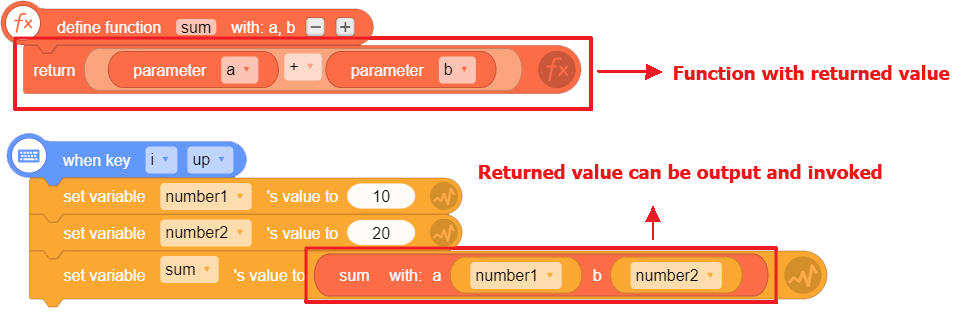
5. return [ ]

This block is for functions with return value. The returned value can be invoked or output.
This block is usually used with "parameter [?]" block.

For example:
Run the script below. When it goes to "set variable [sum]'s value to [ ]", the system will call function [sum], put parameter [number 1] and parameter [number 2] to function [sum], do the calculation, and return the result.