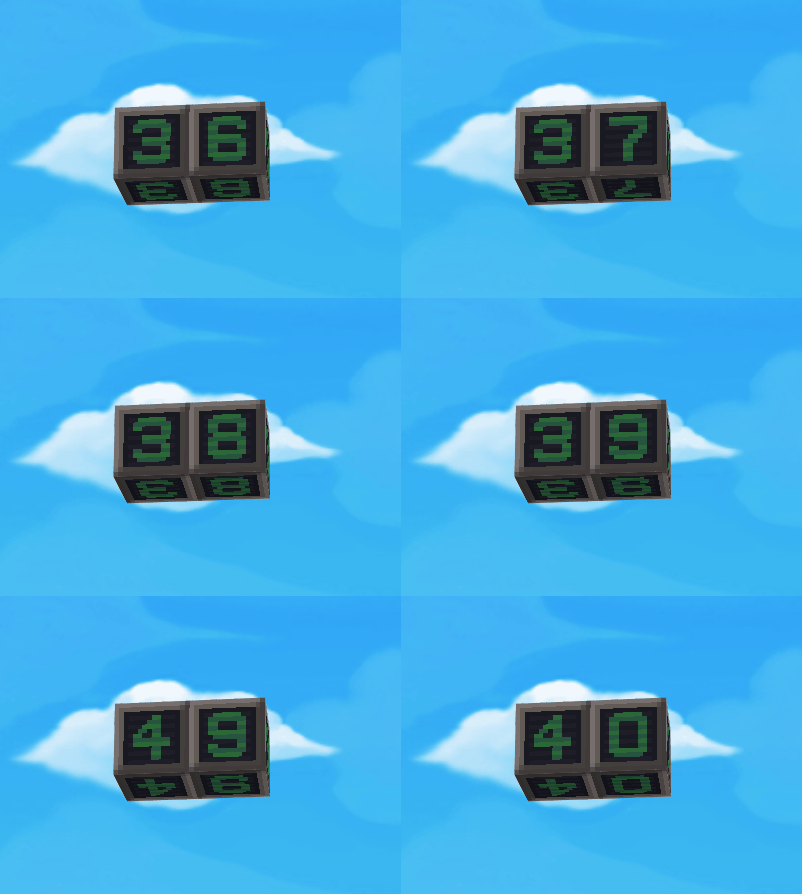
Number Cube Timer
This tutorial shows how to make a timer with number cubes.
First, we should know that each cube in BOX.GAME has its own ID. The IDs of number cubes 0~9 are 22~31. So "set cube at [position] as number cube [0]" is the same as "set cube at [position] as cube [22]."
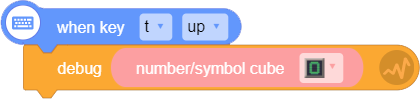
Tips: you can use "debug" block to get the ID of a certain cube material.
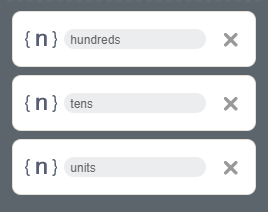
1. Step 1: set three variables as the single digits, tens digits, and hundreds digits.
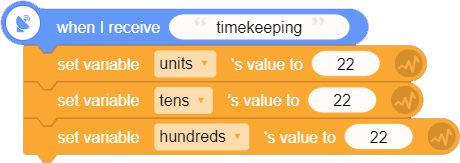
2. Step 2: set the three variables value as 22, i.e, the ID of number cube [0].
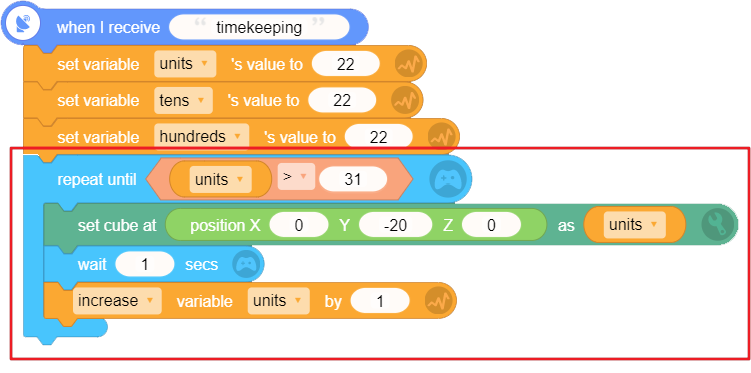
3. Step 3: repeat "increase variable single digits by 1" until the single digits is greater than 31, i.e., greater than the ID of number cube [9]).
As the script below shows, by repeating "set cube at [position] as cube [single digits]" until "single digits", "wait for 1 sec(s)" and "increase the single digits by 1" until the single digits is greater than 31, we can change the number cube every second and use it as as a timer to record 0~9 seconds.
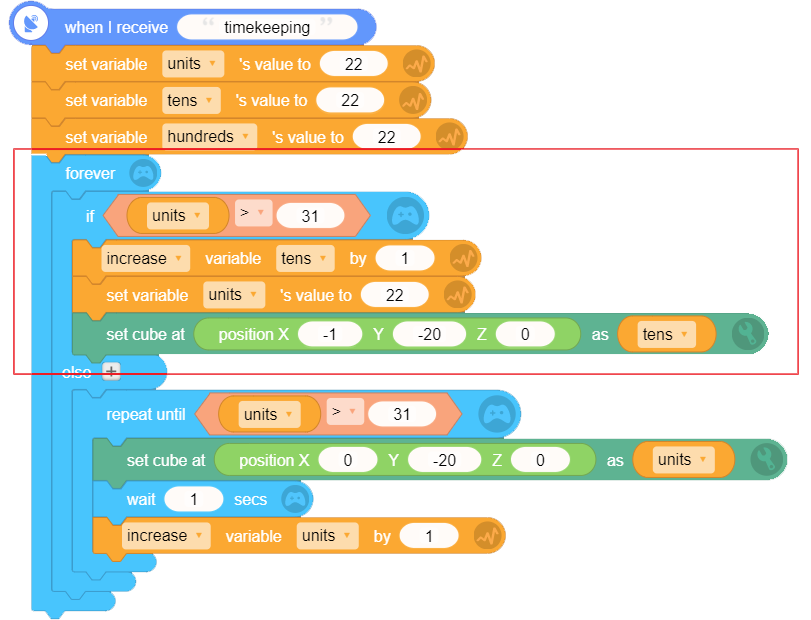
4. Step 4: when the timer records the 9th second, add a number to the next column on the left.
As the script below shows, add a "if..else" block to detect if the "single digits" is greater than 31. If so, then add one to the "tens digits" and reset the "single digits" as 22, i.e., number cube [22], and set the block on the left of the "single digits" cube as "tens digits" cube.
5. Step 5: like step 4, when the timer records the 99th second, add a number to the next column on the left.
As the script below shows, add another "elif" block to detect if the timer records the 99th second. If so, add one to the "hundreds digits" and reset the values of "single digits" and "tens digits" as 22, and set the cube on the left of the "tens digits" as "hundreds digits" cube.
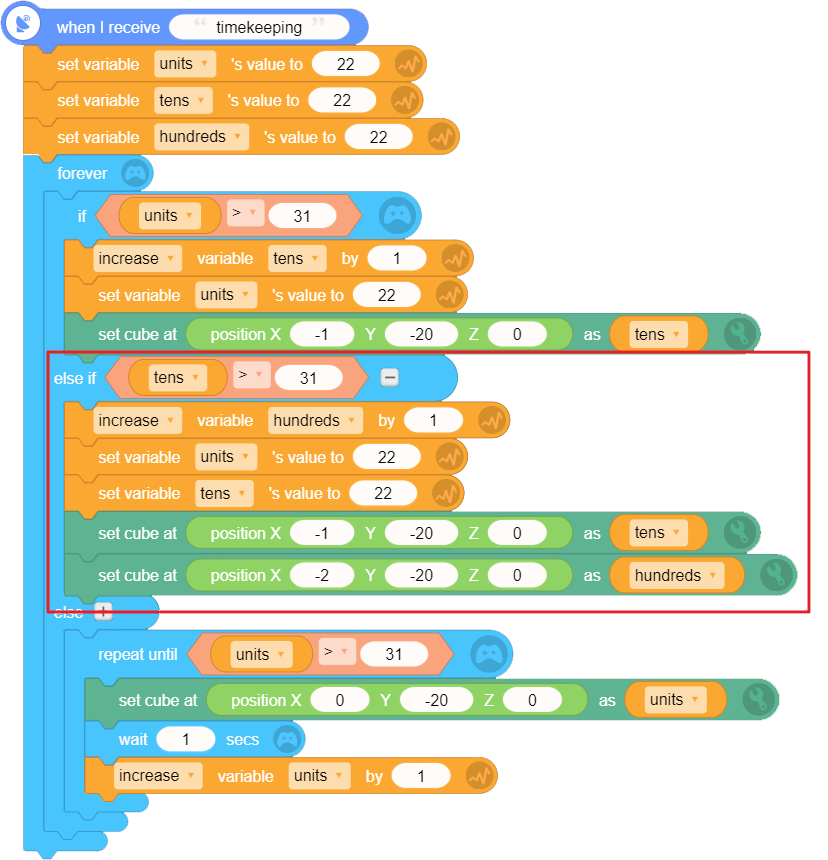
By this, we can make a number cube timer recording 0~999 sec(s).