Inventory
1. [hide] hotbar

[hide/show] the hotbar.
The default mode is to show hotbar in the bottom in game. If you choose to hide the hotbar, it will not be shown.
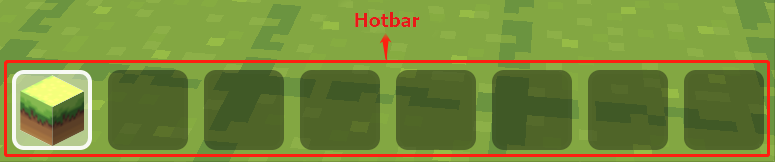
2. clear hotbar

- Clear all cubes and items in hotbar.
3. [show] inventory

Backpack has stored all cubes and items in BOX.GAME. When this block is run, backpack will be opened.
Please note: if there is no condition can be triggered to hide the backpack, backpack cannot be closed. It is better to use "[show] backpack" block and "[hide] backpack" block together. For example:
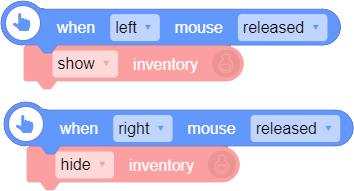
4. toggle backpack visibility

- This block toggles the visibility of backpack. It will close the backpack if it is open or vice versa.
5. decoration cube [ ]

- This block provides cubes related to nature, like: soil, ice, pumpkin, cactus, grass, portal and so on.
6. building cube [ ]

- This block provides cubes related to building, like: stone, brick, mossy cobblestone, grey brick, red wall and so on.
7. solid cube [ ]

- This block provides cubes in different colors, like: blue, bright green, brown, pink, purple, red, white and so on.
8. decoration cube [ ]

- This block provides cubes related to decoration, like: magic book, windmill, TNT, redstone lamp (on)/(off) and so on.
9. number/symbol cube [ ]

- This block provides cubes related to number and symbol, including: 0, 1, 2, 3, 4, 5, 6, 7, 8, 9, +, -, ×, ÷, ?.
10. letter cube [ ]

- This block provides 26 letter cubes.
11. item [ ]

This block provides 34 items, like: apple, paper, emerald, potion bottle, ender pearl, fireball, doughnut, coffee, Game Boy, lightsaber and so on.
Please note: collision is available for cubes but not for items. Player can go through an item but cannot choose it with the pointer.
12. start jetpack

Start jetpack and player can fly in game.
Please note:
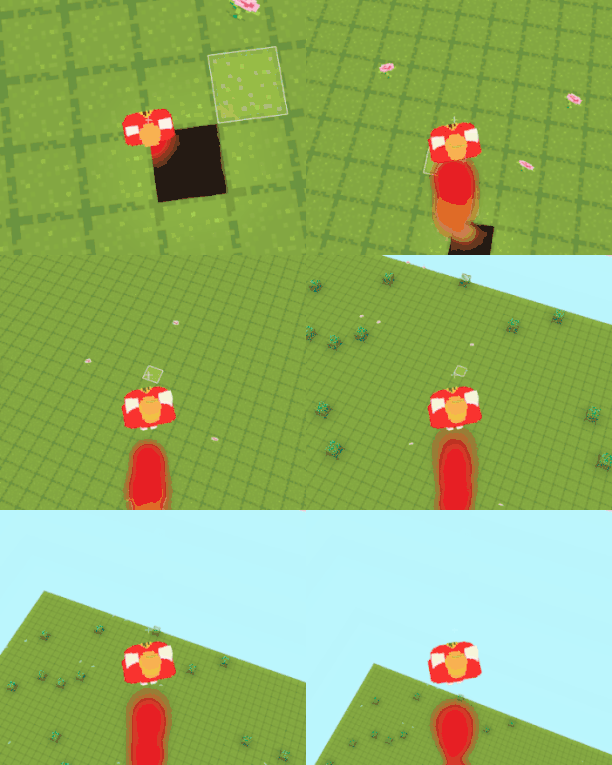
(1). It is different from flying. Both blocks can make player fly in game, but jetpack would keep the player flying up instead of being suspended in the air. What's more, player cannot go across walls with jetpack started. However, in flying mode, player can be suspended in the air and go across walls.
(2). It is better to use "start jetpack" block and "stop jetpack" block together. If there is no condition to stop the jetpack, player is easy to trap in "going up-out of edge-going up-out of edge" loop. For example:
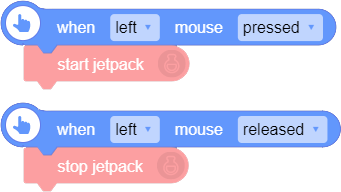
13. stop jetpack

- This block is used with "start jetpack" block to stop the jetpack. Please see "12. start jetpack" for more details.
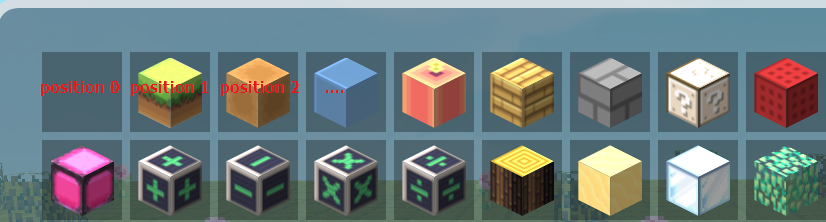
14. put [1] [cube [ ]] to [hotbar] position [0]

This block can set the type, amount and placed position of the material that will be put in [hotbar/backpack]. If a cube already exists, it will be replaced.
Please note: the position number in hotbar and backpack starts from 0. For example:

15. add [1] [cube [ ]] to [hotbar]

Add specified cube or item of certain amount to [hotbar/backpack], but the placed position cannot be specified.
Please note:
(1). Add to hotbar: The cube will be placed from position 0. If a cube already exists in position 0, it will be added to position 1, and so on;
(2). Add to backpack: If the cube added is already in the backpack and you add it again, its amount will be increased. If the cube added is not in the backpack, it will be placed from position 0; if other cube already exists in position 0, it will be added to position 1, and so on.
16. add all cubes to backpack [10] times

Add all cubes to backpack the specified number of times. Even if you did not use this block, when you open backpack in game for the first time, it would add all cubes to backpack once.
Please note: running this block may cause game lag. It is better not to use it too often, or reduce the adding times.
17. add all items to backpack [10] times

Add all items to backpack the specified number of times. But it is different from the last block. If you did not use this block, there will be no item in the backpack.
Please note: running this block may cause game lag. It is better not to use it too often, or reduce the adding times.
18. remove [1] [selected material in hotbar] from [hotbar]

- Remove cubes or items of certain amount from hotbar or backpack. If the amount of removed material is greater than that in hotbar, this material will be cleared. The number of amount cannot be negative.
19. clear backpack

- Clear all cubes and items in backpack. If you need to recover these items or cubes, please use "add all cubes/items to backpack [ ] times" block.
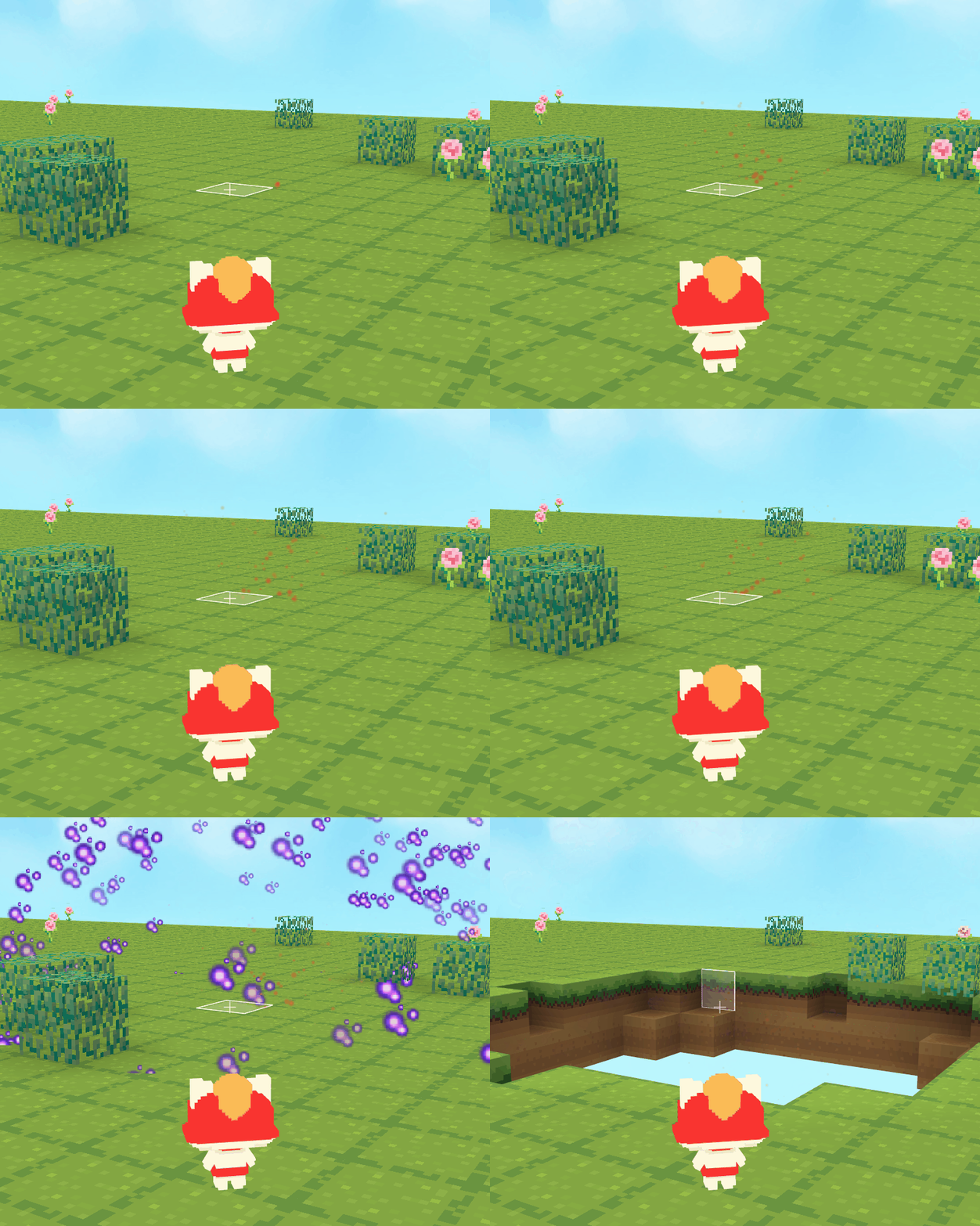
20. explode at [pointer's position] in [3] sec(s) with radius [5] [with] [random] effect

Set an explosion at a specified position in certain seconds. Explosion radius and explosion effect can also be set. The explosion will destroy cubes and items within the radius.
Please note: the valid value of radius is from 0 to 32, which will automatically take 32 if input value is greater than 32 and take 0 if it is less than 0.
Effect demonstration:
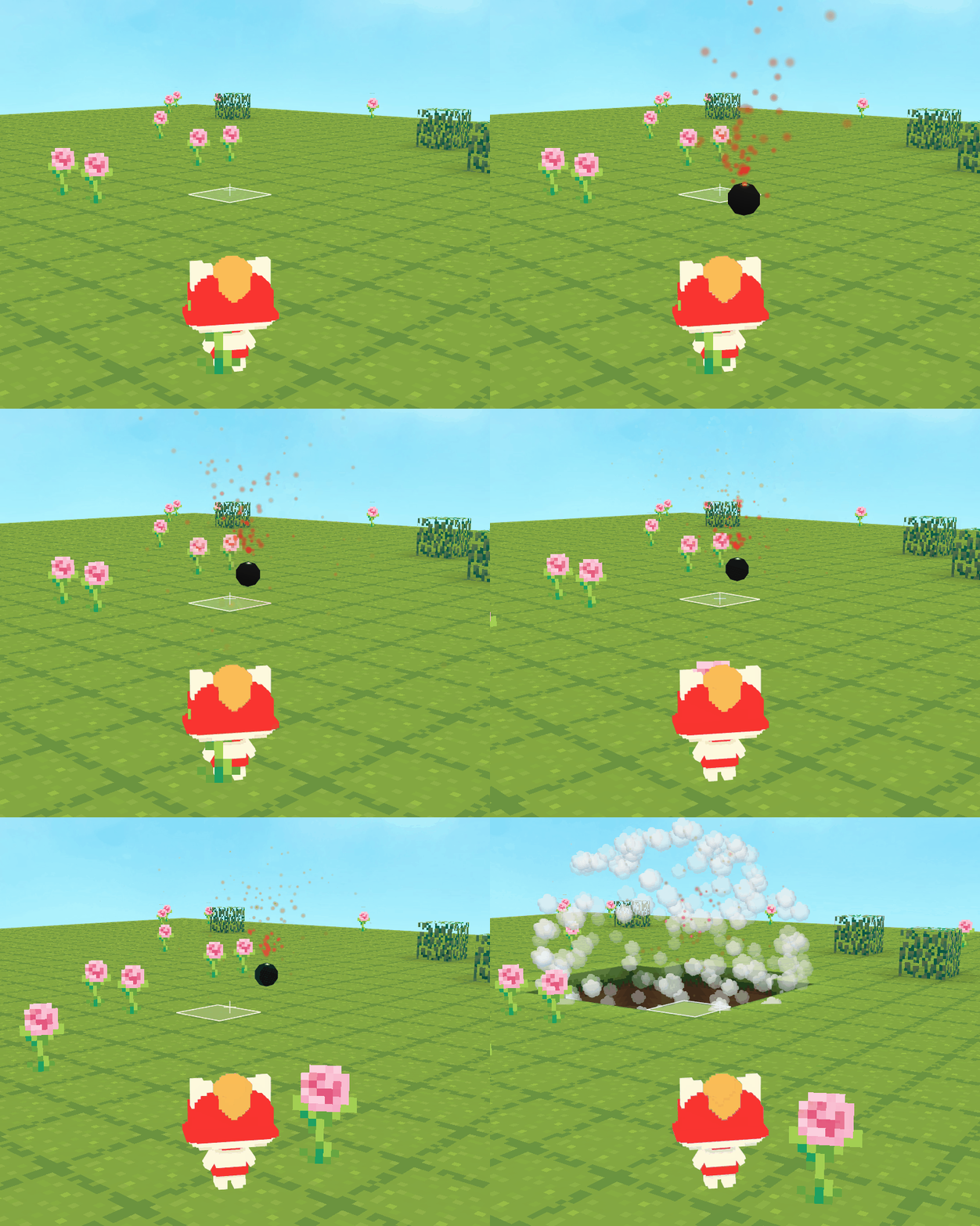
21. throw breaking bomb, explode in [3] sec(s) bomb size [0.5] explosion radius [2.5]

Throw a bomb from the player's position, which will explode in certain seconds (start counting when this block is run, not when the bomb stays). You can also change bomb size and explosion radius.
Please note: the bomb follows the rules of physics. It will bounce when it hits the wall and go down when it falls into a hole.
Effect demonstration:
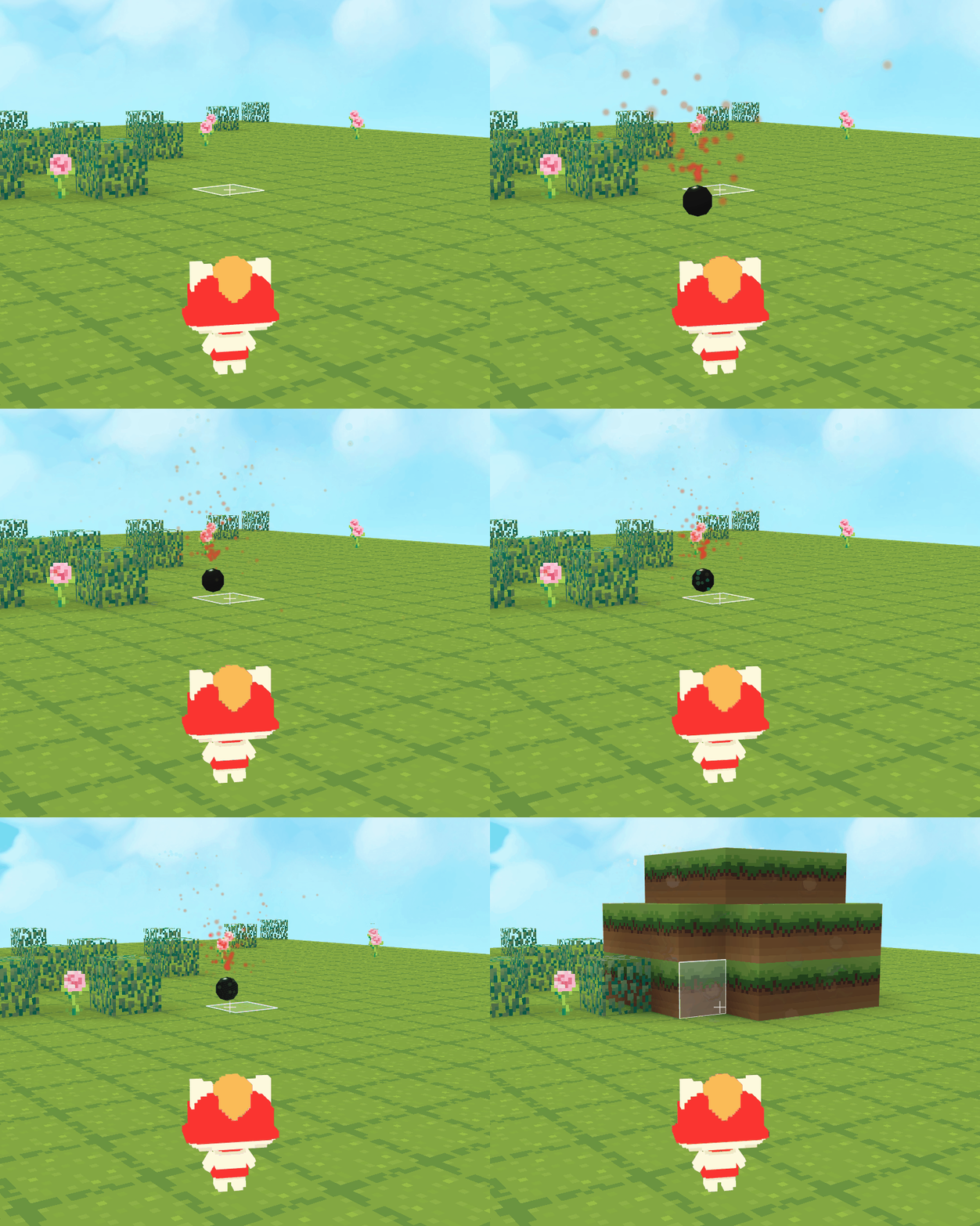
22.throw building bomb, explode in [3] sec(s) bomb size [0.5] explosion radius [2.5] cube material [cube [ ]]

Throw a bomb from the player's position, which will explode and build cubes in certain seconds (start counting when this block is run, not when the bomb stays). You can also change bomb size, explosion radius and the cube material.
Effect demonstration:
23. shoot breaking bullet, gravity [0] speed [50] explosion radius [2.5]

Shoot a bullet from the player's position, which will break cubes within the radius. You can change the gravity, speed and explosion radius. If the gravity is 0, the bullet will go straightly ahead until it hits a cube.
Please note:
(1). The explosion point is not very accurate. For example, you shoot a bullet, expecting it to explode where it hits, but in fact it will explode around, not at the hitting position.
(2). The explosion here do not have an explosion effect yet.
24. shoot building bullet, gravity [0] speed [50] explosion radius [2.5] cube material [cube [ ]]

- Shoot a bullet from the player's position, which will build cubes within the radius. You can change the gravity, speed and explosion radius.