Movement of the position
We can use the drone to move or change the position.
What's drone?
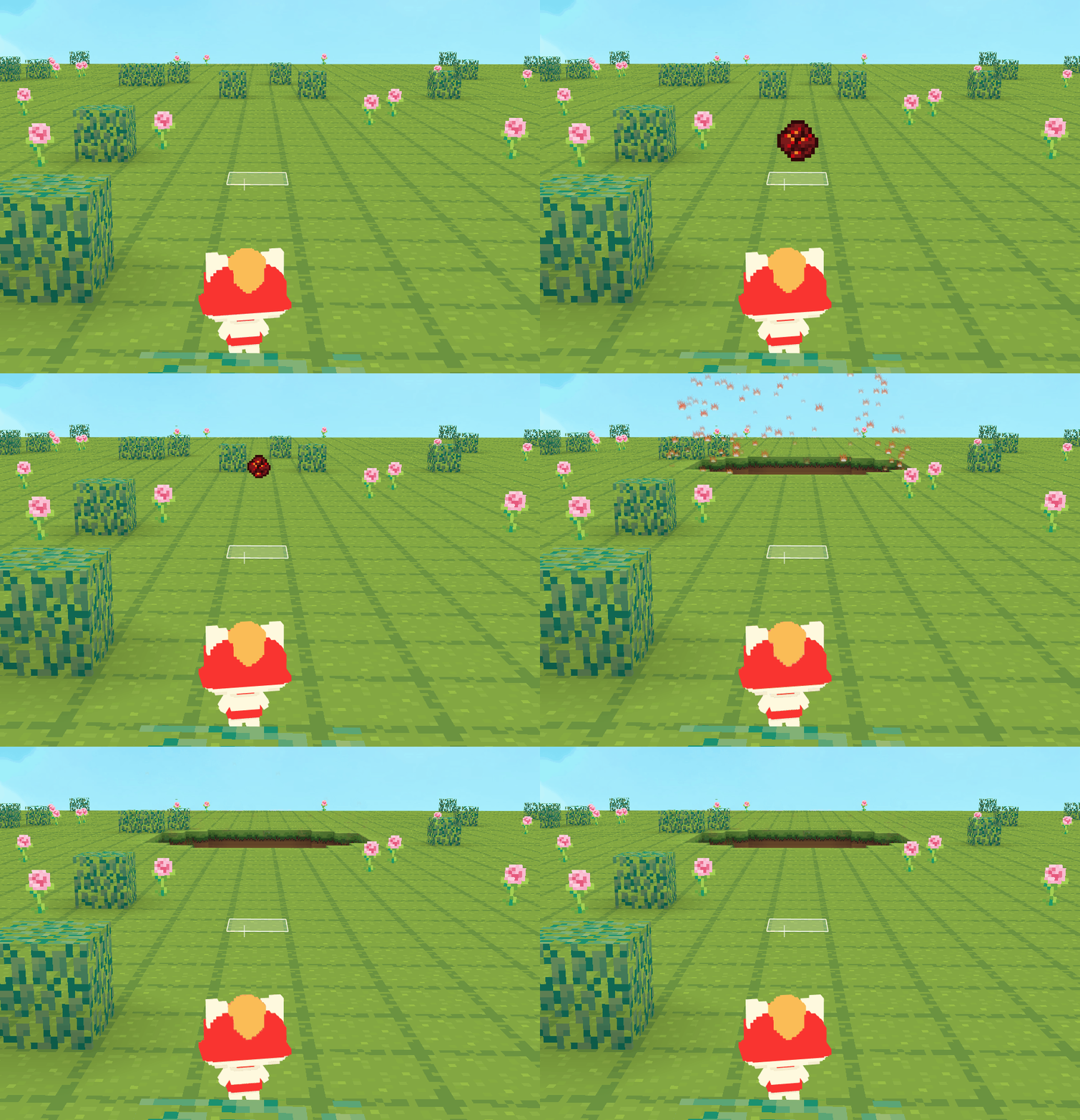
For example, we don't have related blocks to move a cube, but we can build cubes or create objects at the drone's position and make them move by moving the drone.
For example: we can make fireballs by moving the drone.
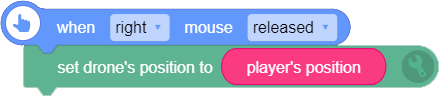
- First, set the drone's position. If we want to shoot fireballs from the player's position, then we should set the drone's position as [player's position]
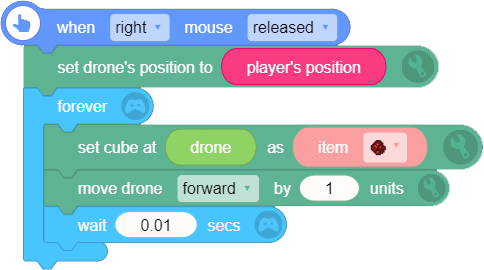
- Repeat "set cube at [player's position] as object [fireball]" and "move drone forward by [1] unit" forever, and we can create fireballs while the drone moves forward.
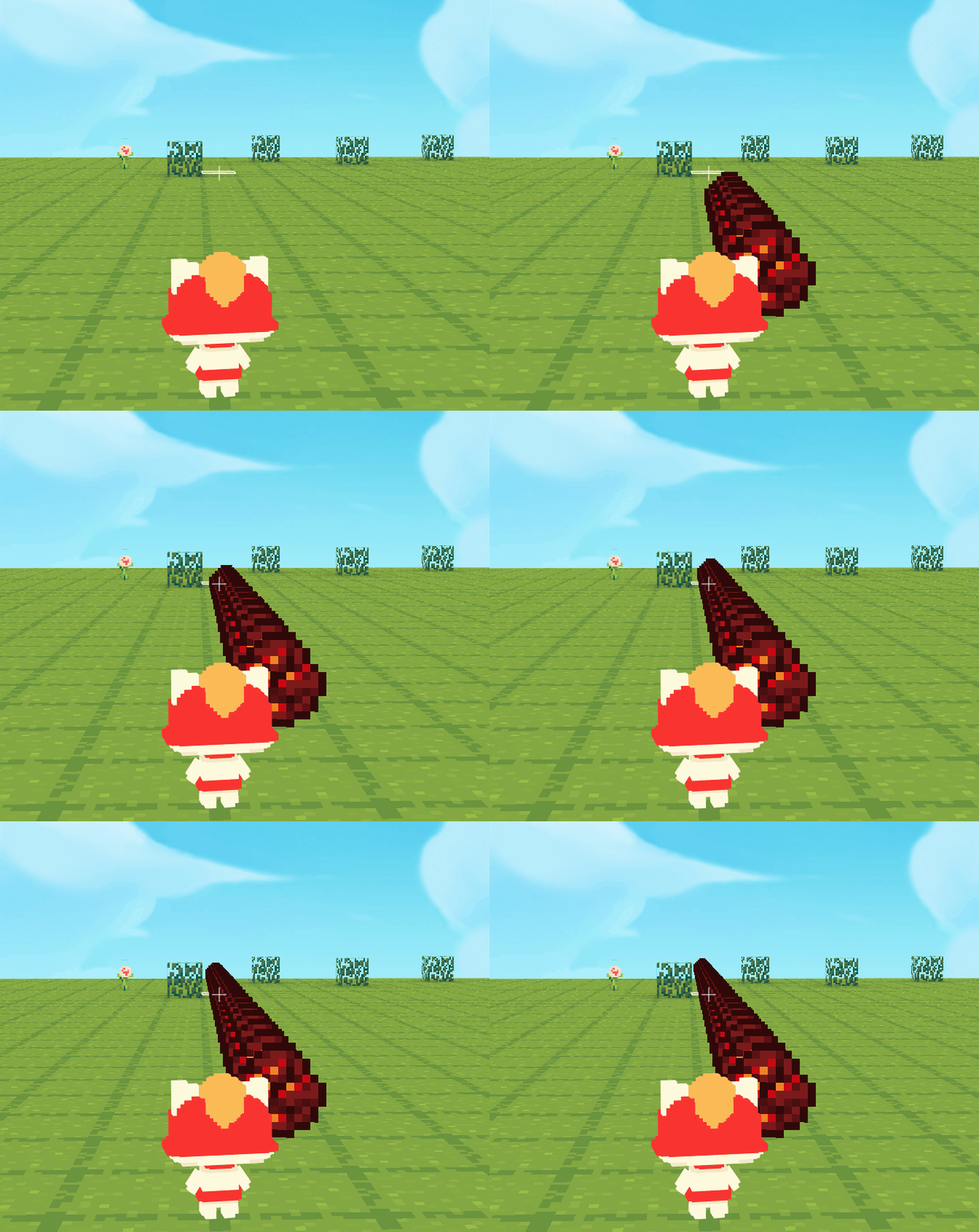
- But in this way, we will create a string of fireballs moving forward to an infinite distance.
- If we want to shoot the fireball to any direction, we should get the player's facing direction (camera azimuth) first. Then, rotate the drone around Y-axis to the camera azimuth.
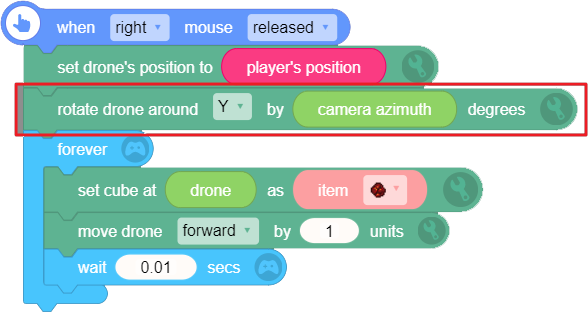
- As for the string of fireballs, we can shoot a single fireball just by replacing the unnecessary fireballs with air cubes. Please pay attention to the running order: create an air cube at the drone's position first, then move the drone forward and create a fireball at the drone's position. Repeat these blocks, and we can shoot a single fireball.
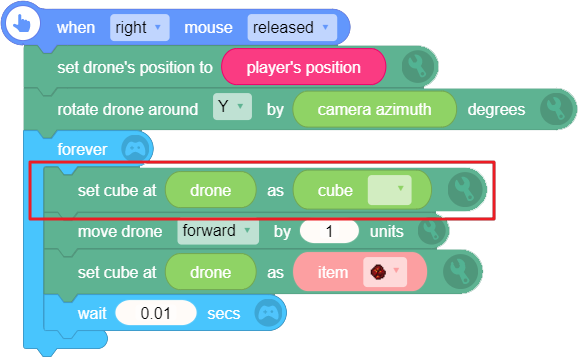
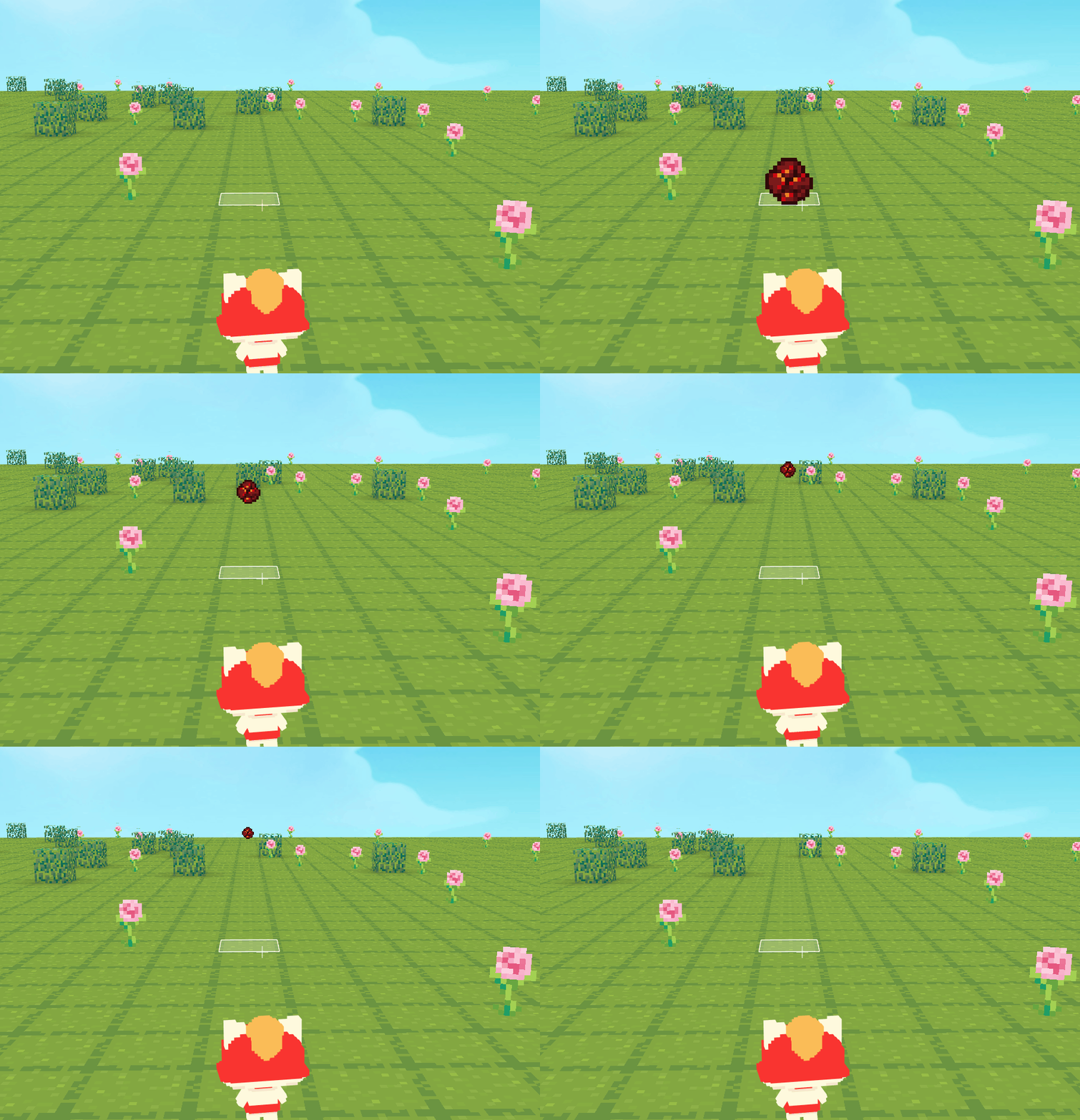
Look, the fireball can pass through the bush cube. That's because when the drone's position moves to the bush cube, it was replaced by air cube, too.
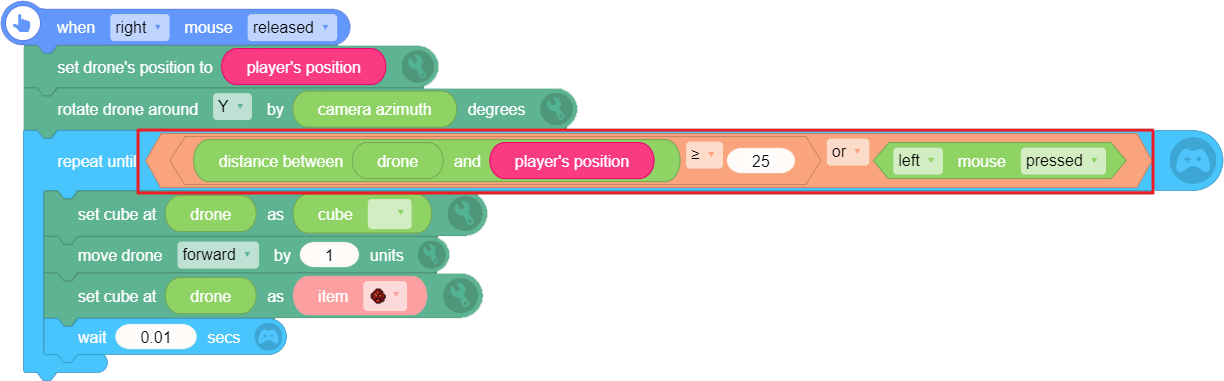
We can set a condition to end the loop, like when the fireball moves to a distant place. We can use the blocks below to detect the distance between the drone and the player's position.
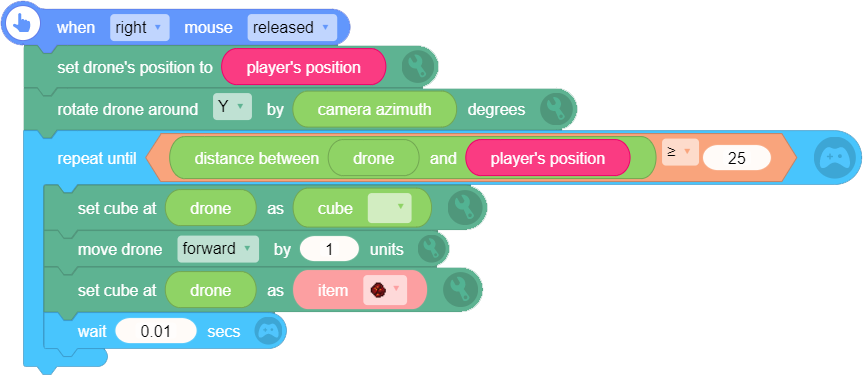
- Or we can set left-click as the trigger to stop the fireball. [or] means that when either condition is true, the fireball will stop.
- Now add an exploding effect to the fireball.
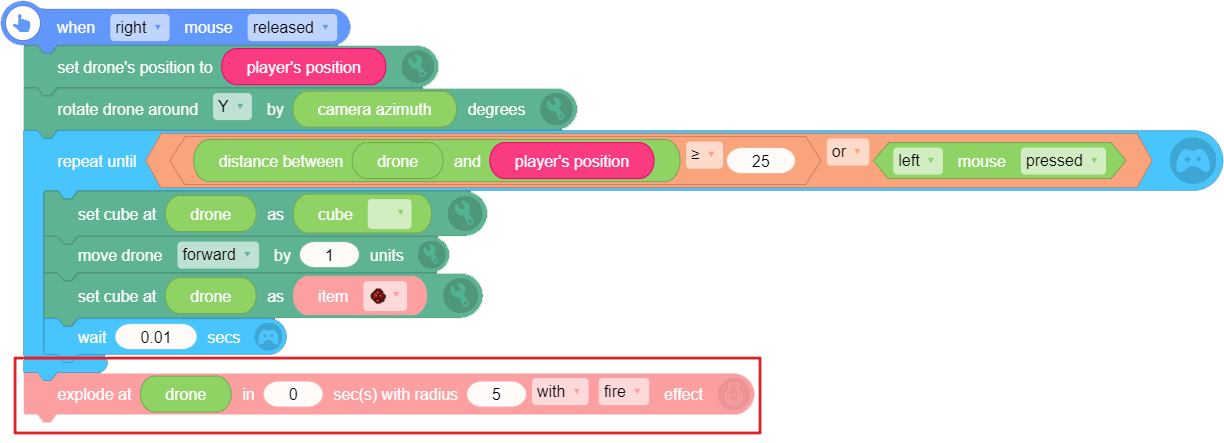
- Run the script to see how it works!