Control
1. fast repeat [20] times
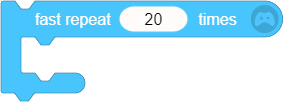
Fast repeat the script inside the specified number of times. Run the following script after the repetition has completed.
It is similar to "repeat [20] times" block, but there will be no pause between each repetition. It runs the script faster than normal repeat blocks. It is often used in complex mathematical calculations, or in situations where the sprite is expected to move 20 steps in an instant.
2. forever

Repeat the script inside over and over again. It would stop repeating when "quit loop" block is triggered, and run the following script. It can be used to functions with unknown repeating times.
There will be a pause between each repetition, so it runs the script slower than "fast repeat" block. Please note that the loop cannot be stopped by condition.
3. repeat [20] times
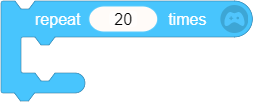
Repeat the script inside specified number of times. Run the following script after the repetition has completed.
Compared with "fast repeat [ ] times" block, there will be a pause between each repetition, and the script will run slower.
4. repeat until

- Repeat the script inside until a certain Boolean condition is true, and run the following script. It means that it will keep repeating until the Boolean condition is true.
5. quit loop

Stop last repeat block/loop, and run the following script. It can be used to quit the endless repetition.
This block has to be used with one of the 4 blocks above. Place it inside the repeat block to quit the loop.
For example:
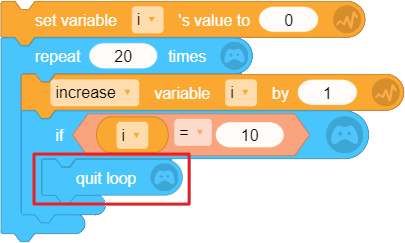
In the block set above, when it quits the loop, the value of i is 10. Because when i =10, the repetition stops, and i only increased by 1 for 10 times.
6. if<condition>

- If the embedded Boolean condition (like variable i = 1) is true, run the script inside; if the condition is false, skip this block.
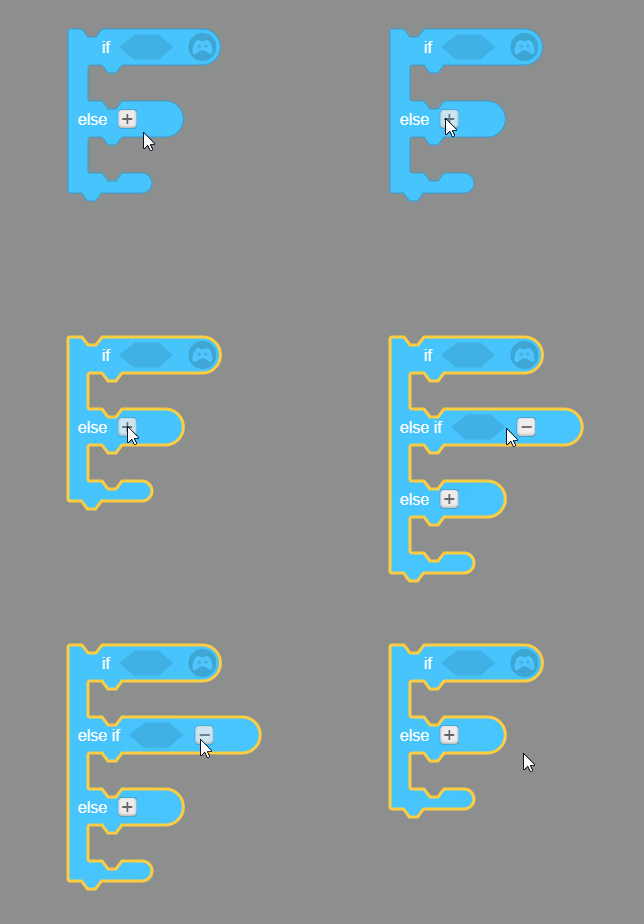
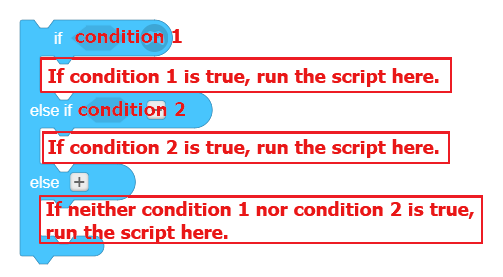
7. if <condition> else
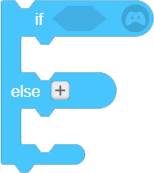
If the embedded condition is true, run the script inside "if"; if not, run the script inside "else".
Click "+" to add one more "if <condition> else". Click "-" to delete one "if <condition> else".
8. wait [1] secs

- Wait certain seconds and then run the script below. You should input numerical value or connect parameter with value.
9. wait until <condition>

- Wait until the embedded condition is true, and then run the script below.